Software products are invisible. You cannot touch a cloud infrastructure platform or hold a generative AI writing tool. Because the product has no physical form, the marketing website becomes the most tangible version of the brand.
I have spent my career designing digital experiences for technical products. From my time as a Design Lead on the AWS Design System to leading design teams at HackerRank, Around, and Copy.ai, I have watched companies treat their websites as static brochures. That approach fails. A modern software website works as a conversion engine. It must quickly answer what the product does, who it serves, and how much it costs.
Founders and growth leads face a specific challenge when planning a new site. You need a structure that speaks to several buyer personas at once, and information architecture that supports your go-to-market motion.
Before you write a project brief or compare the ranked SaaS web design agencies in our directory, you need to understand what a high-performing software website actually requires.
The Fundamentals of Software Information Architecture
Information architecture dictates how easily users find what they need. Software buyers arrive with specific intent. End users want to see product features and documentation. Economic buyers look for plans, costs, and security compliance. Executive sponsors want high-level business outcomes and enterprise case studies.
If your primary navigation fails to organize these distinct needs logically, the visitor will leave. Nielsen Norman Group's B2B website usability research describes business buyers working through long, complex buying processes: comparing products, sharing options with colleagues, and building shortlists. They do not browse for entertainment. They evaluate tools against strict criteria.
Product-Led vs. Sales-Led Navigation
Your go-to-market strategy dictates your navigation structure. I always check a company's primary navigation to understand their sales motion.
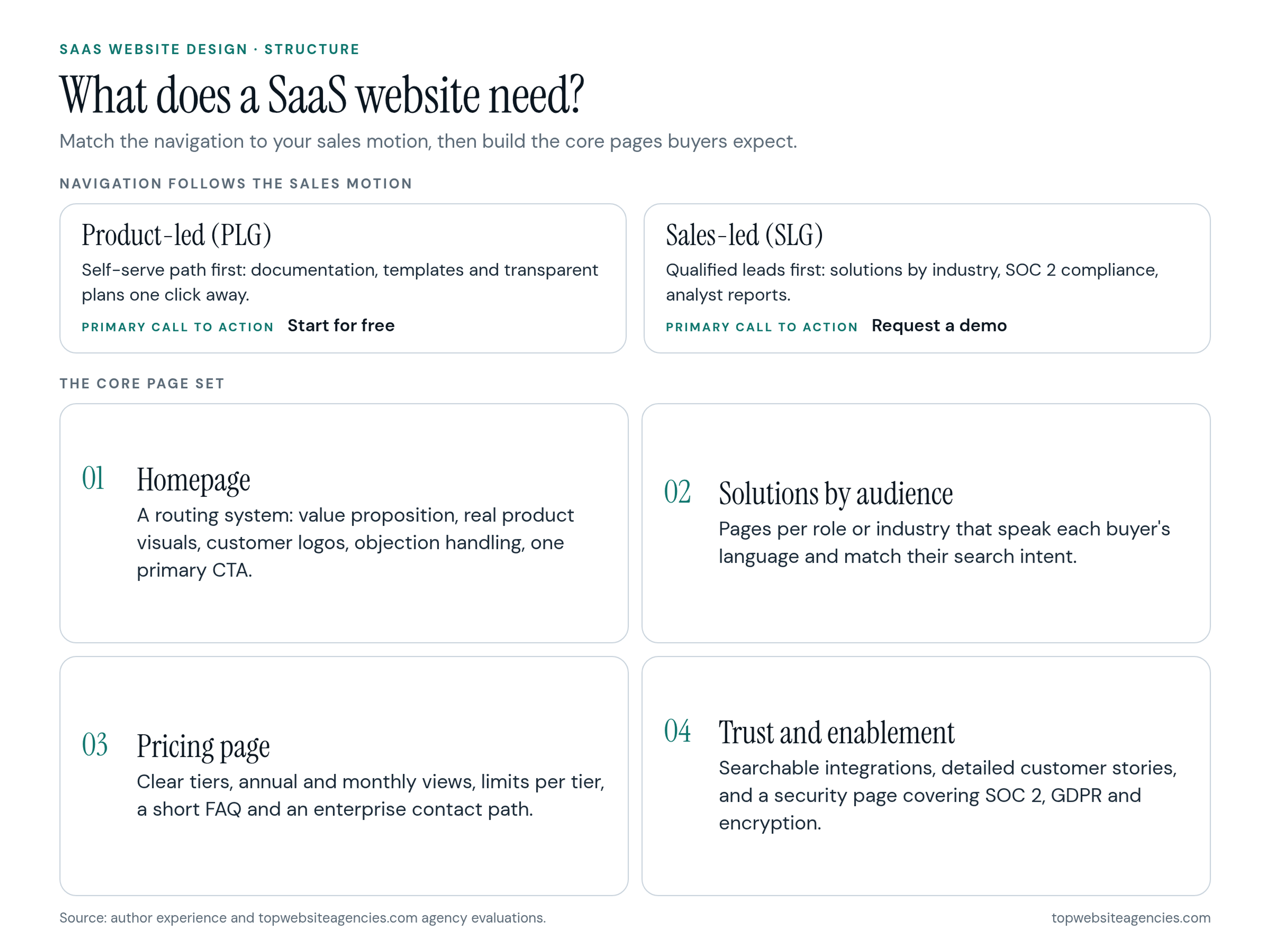
Product-Led Growth (PLG) relies on users signing up and experiencing the value themselves. Navigation in a PLG model minimizes friction. The primary call to action is self-serve, like "Start for free." The menu emphasizes immediate access to product documentation, community templates, and transparent plans.
Sales-Led Growth (SLG) targets enterprise buyers with complex procurement requirements. The primary goal is capturing a qualified lead, so the navigation prioritizes "Request a demo." The architecture highlights industry-specific solutions, SOC 2 compliance, and analyst reports. The goal is starting a conversation.
If you run a hybrid model, your navigation must cleanly separate the self-serve path from the enterprise path early in the user journey. Early-stage teams often start product-led and add a sales path later, which is why many of the design partners we rank for early-stage startups plan the navigation so a demo path can be added without a rebuild.
The Core Page Set Every Software Company Needs
Buyers expect certain pages to exist in specific places. Missing these standard pages creates cognitive load and erodes trust. During our agency evaluations for topwebsiteagencies.com, we look closely at how design partners structure these core assets.
The Homepage Anatomy
The homepage is a routing system. It should quickly confirm that the user is in the right place and send them to the right subpage. A high-converting homepage includes these elements in a deliberate order:
- Value proposition: The main headline states exactly what the software does. The subheadline explains who it is for and the primary benefit.
- Product visuals: Show the actual interface. Abstract illustrations frustrate buyers. They want to see the tool they will use every day.
- Social proof: Place customer logos immediately below the hero section.
- Objection handling: Address common buying hesitations up front. If implementation takes time, highlight your setup process.
- Calls to action: Provide a primary action (sign up) and a secondary action (view documentation).
Solutions by Audience
Buyers rarely search for features. They search for solutions to their specific problems.
At HackerRank, we realized that engineering managers evaluate tools differently than talent acquisition leaders. Solutions pages translate your product capabilities into language specific to a role (solutions for DevOps) or an industry (financial services). These pages let you match exact search intent and show that you understand the regulatory or workflow requirements of that buyer.
The Pricing Page
The pricing page causes the most anxiety for buyers. Clarity wins every time.
Display clear comparison tiers. Offer annual and monthly billing views. List the specific limits of each tier. Add a short FAQ at the bottom to answer common questions about seat limits, onboarding fees, or cancellation. Always provide a clear contact path for enterprise requirements.
Trust and Enablement Pages
Software buyers purchase based on trust. They are committing their data and workflows to your infrastructure.
- Integrations: Buyers need to know your tool works with their existing stack. Build a searchable directory of integrations.
- Customer stories: Move beyond simple testimonials. Describe the problem, the implementation process, and the measurable results.
- Security and trust: Enterprise procurement teams look for this page immediately. Cover SOC 2 compliance, GDPR readiness, and data encryption standards.
Conversion Mechanics and Removing Friction
Traffic holds no value if visitors do not take action. Conversion work means removing obstacles between the user's intent and the outcome you want.
Assign one primary call to action per page. If the goal of a product page is to start a free trial, do not distract the user with links to a webinar.
When users click the call to action, the form must respect their time. Baymard Institute's checkout research found that the total number of form fields affects usability more than the number of steps. The same logic applies to a signup form: if you only need an email address to start a trial, do not ask for a phone number or company size. Collect that data progressively during onboarding.
Choosing a CMS for Marketing Autonomy
The biggest bottleneck in software marketing is relying on engineering teams to update website copy. Engineers should build the core product, not landing pages.
Select a content management system that gives the marketing team full control over publishing. Webflow is popular with SaaS companies because it allows visual editing without a developer for every change. A headless CMS like Contentful or Sanity paired with a modern frontend framework offers speed and flexibility. The requirement stays the same: marketing must be able to ship new campaigns without filing Jira tickets.
How to Plan Your Website Project with a Design Partner
Building a high-performing site requires strict planning. Approaching a design partner with a clear vision saves time and budget.
Timeline Expectations
A custom website needs realistic scheduling. In my experience, a custom SaaS marketing site built with a design partner usually takes 10 to 16 weeks, depending on scope. The phases below overlap, which is why the total is shorter than their sum.
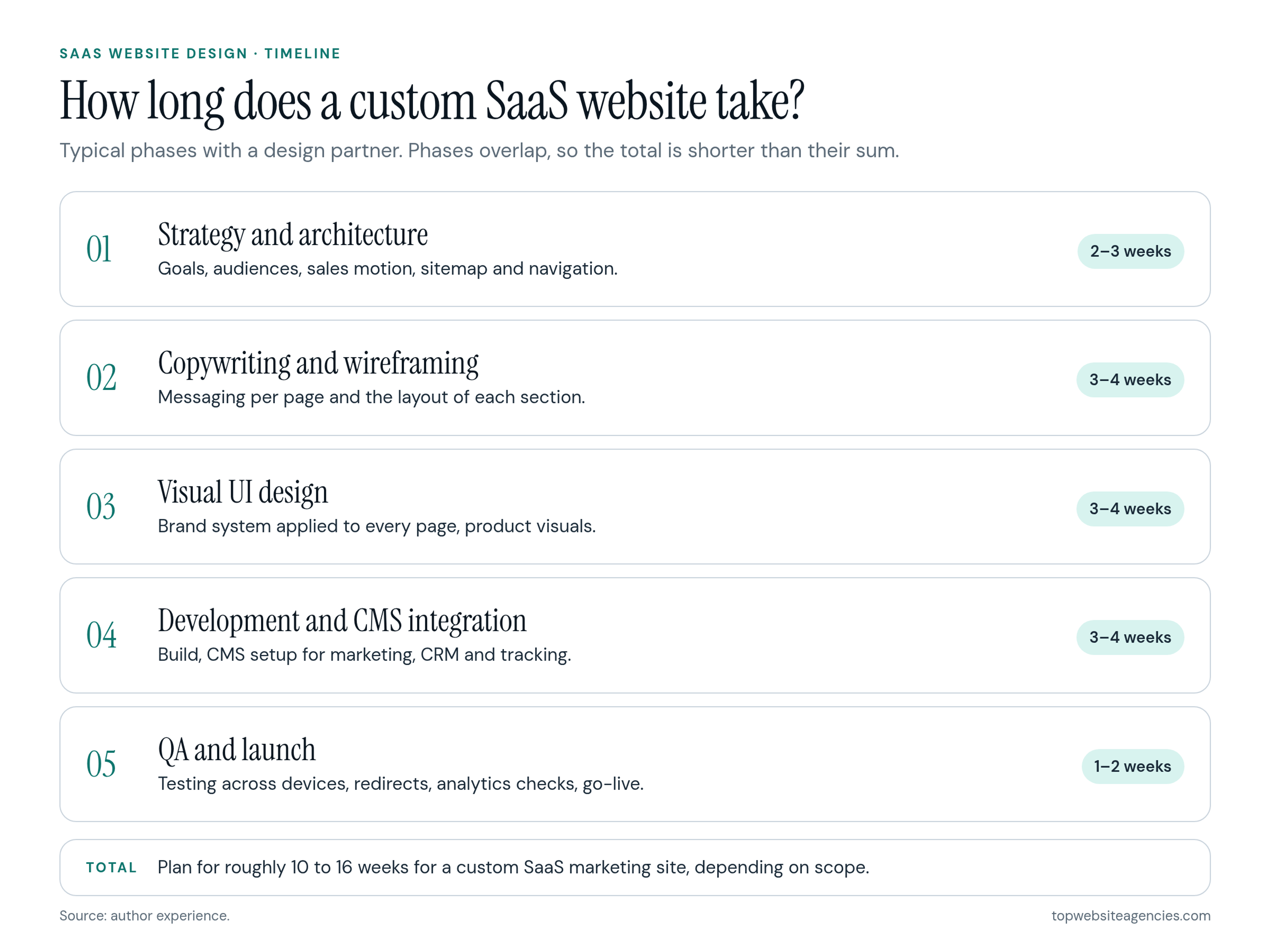
- Strategy and architecture: 2 to 3 weeks
- Copywriting and wireframing: 3 to 4 weeks
- Visual UI design: 3 to 4 weeks
- Development and CMS integration: 3 to 4 weeks
- QA and launch: 1 to 2 weeks
For a closer look at what drives each stage, see our guide to how long a web design project really takes.
Building the Project Brief
The quality of your website depends heavily on the quality of your brief. Before you start talking to design partners, prepare a document with these elements:
- Business goals: Define what success looks like. Are you trying to increase self-serve signups or generate enterprise leads?
- Target audience: Separate the end user from the economic buyer.
- Current bottlenecks: Explain exactly why the current site is failing.
- Sitemap: Outline the pages you need built.
- Brand assets: Provide existing logos, color guidelines, and product screenshots.
- Technical requirements: Specify your preferred CMS, CRM integrations, and tracking tools.
- Competitor references: List three competitors you admire and explain what you like about their approach.
Software web design requires a specific skill set. The team must understand complex buyer journeys, B2B positioning, and technical integrations. When you shortlist partners from the SaaS list linked above, compare their portfolios and case studies against your brief and technical requirements.
Frequently Asked Questions (FAQ)
Should we hide our pricing if we only sell to enterprise clients?
No. Hiding pricing completely frustrates buyers. If you require custom scoping, show a starting price or a minimum engagement fee to qualify leads and set expectations.
How many integrations should we list on our website?
List all active integrations, but prioritize and categorize them. Feature the most popular tools (like Salesforce, Slack, or Jira) prominently, and provide search for the rest.
Do we need a dedicated mobile design for a desktop SaaS product?
Yes. Your product might only work on desktop, but buyers often research tools on their phones. Your marketing website must work well on mobile devices to capture that research traffic.
Conclusion
A marketing website is never truly finished. It is a living asset that needs constant testing, iteration, and refinement based on real user data. Match the navigation to your sales motion, build the core page set buyers expect, remove friction from every form, give your marketing team a CMS it can run alone, and treat your website with the same rigor you apply to your core product.